

My trip in Newfoundland was heavily impacted by the loss of all my checked-in luggage, i.e. most of my stuff. One of the things I lost was my paper maps and one of the things I saved was my smartphone.

Navigation set, 20th & 21st centuries
I could have worked hard to get new (paper) maps before I started hiking but I had so many things to replace that this one was not high on the scales: there was a valid alternative.
This is the little story behind a dramatic shift in my navigation standards: for the first time ever, I’d be going on a long distance route with just a smartphone in my pocket. It’d be a good test as my intended route was mostly off-trail over rugged and remote terrain.
The text below is not meant to be a full comparison between classic & digital, the relative merits and flaws of each technology will not be fully addressed. It is a focused comparison within a certain use case which includes my own bias.
The new navigation kit
I was using an outdoor-specific smartphone, a Crosscall Trekker M1 Core device running Android. This is a waterproof, shock resistant set with a 3500 mAh high capacity battery and a quality GPS antenna. It was a recent purchase and it was the first time I’d take it with me on a long distance route.
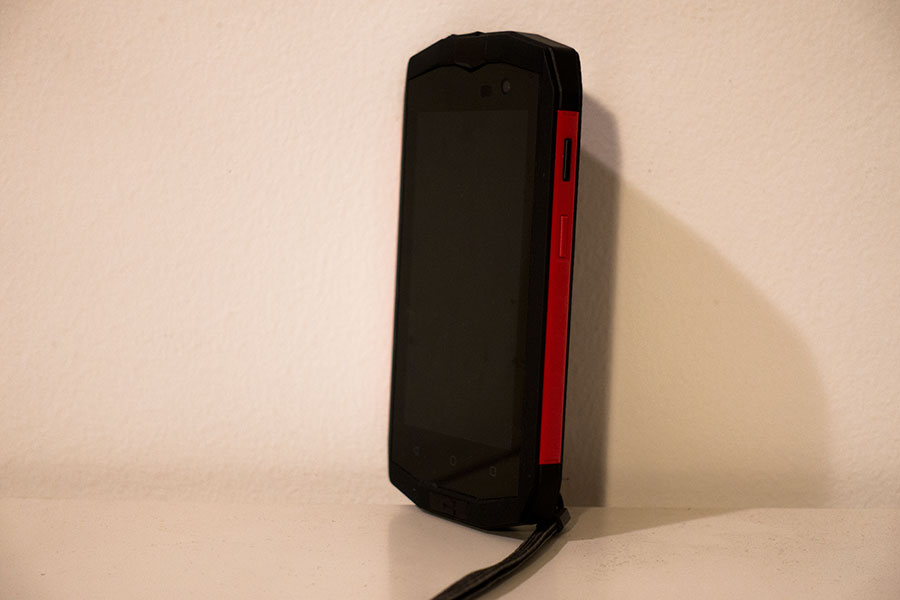
Croscall Trekker M1 Core
As navigation software I had installed the AlpineQuest app with topo maps downloaded into local storage and GPS tracks for all my intended sections of trail.
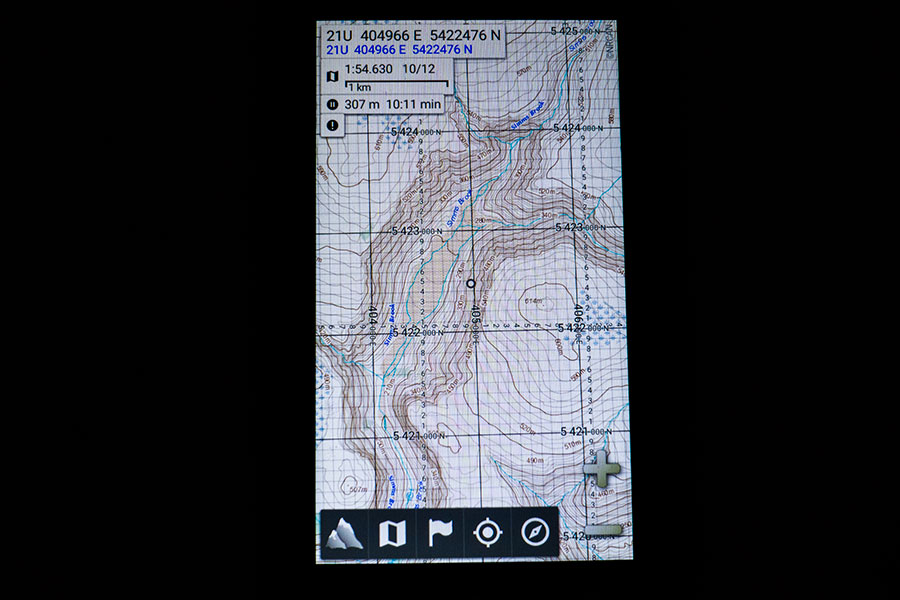
AlpineQuest look & feel
I needed to replace my external battery that was lost with the checked-in luggage. As the smartphone was promoted to main navigation means, I upgraded to a 7800 mAh unit instead of the 5200 mAh of the originally intended one.

Power brick
Location & Navigation
Humans should be able to move around successfully on their own means but if you mean to travel efficiently in an unknown area, you’ll welcome some instruments that facilitate the basic set of tasks: locate yourself, locate features, identify target ones and find out how to get to them.
Classic loc & nav uses maps and compasses. A map shows you all that you can’t see from your ground position. Many times the map view is all you need to interpret correctly the land around you and proceed through the location & navigation cycle. It’s not uncommon though that the difference of perspective between what you can see around you and what you can see on the map makes it difficult to match the two, then we commonly use a compass which allows accurate measurements of direction in both map and land so it’s easier to do the match.
GPS and digital mapping
A GPS receiver tells you where you are in some sort of coordinate system and sets you up on the screen. Together with digital mapping and track rendering, it’s a live, bird’s view of yourself and the line of your intended travel as you move along.
You could probably follow the information on the screen boldly and manage to get to destination but this would only be half of the picture of what navigation is about. For a full location aware experience, you still need to relate the information in the screen to the ground around you.
This latter is where I find digital navigation lacking1. I find it odd and difficult to relate the tiny map in my hand with the terrain around me. Zoom in and you get all the detail but loose perspective. Zoom out and the representation becomes as useless as the world map in your room wall.
You may even come to a good hypothesis about the terrain around but then have no means to verify it. At least not with my smartphone, which lacks a compass function. My only way to verify I am doing well is to actually move and follow the track.
Paper & needle
On a paper map you get both detail and area, at the same time. I find it much easier to identify features and to translate between map reading and actual ground on a paper map compared to a digital one in a portable screen. If the terrain lacks major features, it may still be difficult to match land with map but then the compass will play referee to settle most disputes.
This works very well for both short and long distance, as long as the target area is within map coverage.

Map always handy
The Newfoundland use case
On the Newfoundland trip, I started trying to navigate on digital mapping without using the GPS. It worked for a while as long as I had obvious features that I could identify easily. When I entered convoluted terrain, which was the core of the trip, I found it difficult to map screen to ground. It was a frustrating experience with success limited to the occasional presence of some major feature that I could still see in the screen when zooming out. I eventually resorted to stick to following my track.
I often had the feeling I didn’t really know where I was going through, it was a bit like being taken by the hand, unaware of my own route. I deeply disliked this, it felt like I was not in control. This may happen to me when I’m using paper maps too, like if I’m following a clear trail and I occasionally relax the terrain awareness, but I know that I can revert back to awareness status using the map. With the digital mapping, I was discouraged.
Same place 14 years back vs now
It was particularly interesting to compare this trip with my own experience in 2003 when I first hiked in Newfoundland. Back then I would navigate primarily on map & compass. I’d still carry a GPS unit:
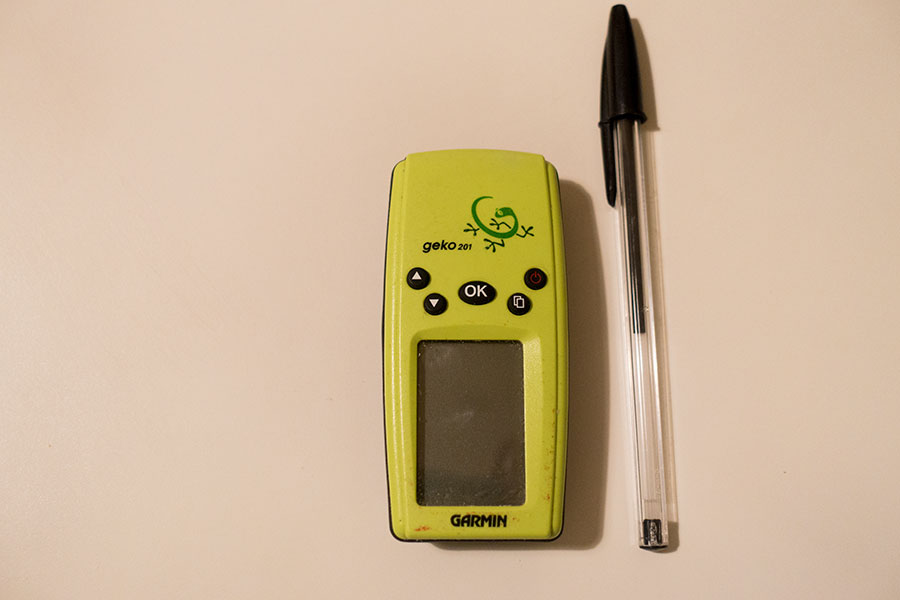
Tiny Geko
It now looks like a toy. It can store tracks and take you along but it’s got no mapping facilities. Back in 2003, this device was my backup and safety net. I didn’t need to use it and navigated entirely on map & compass.
During my 2017 trip, I was hiking through some of the areas I already hiked in 2003. It was very interesting to compare both trips as far as navigation goes: what I did, how it turned out and how I felt about it.
I met my 2003 route twice during the 2017 trip. The first one was a short stretch across the Blow-me-Down mountains where navigation was quite straightforward in good weather for both occasions. No relevant conclusions here.
The second section common to both trips happened in the Gros Morne National Park Long Range Traverse at the very end of my 2017 trip. This one goes across the high plateaus of the Long Range mountains over complex terrain, very hilly but without any major points of reference other than the many lakes. Lakes work well to verify your location but not so much for scouting ahead as they’re on the opposite side of prominence. It was navigationally complex terrain with many significant features that were barely shown on the 1:50K maps, if at all. It wasn’t difficult for any competent navigator in reasonably good visibility conditions but it certainly required attention and awareness.
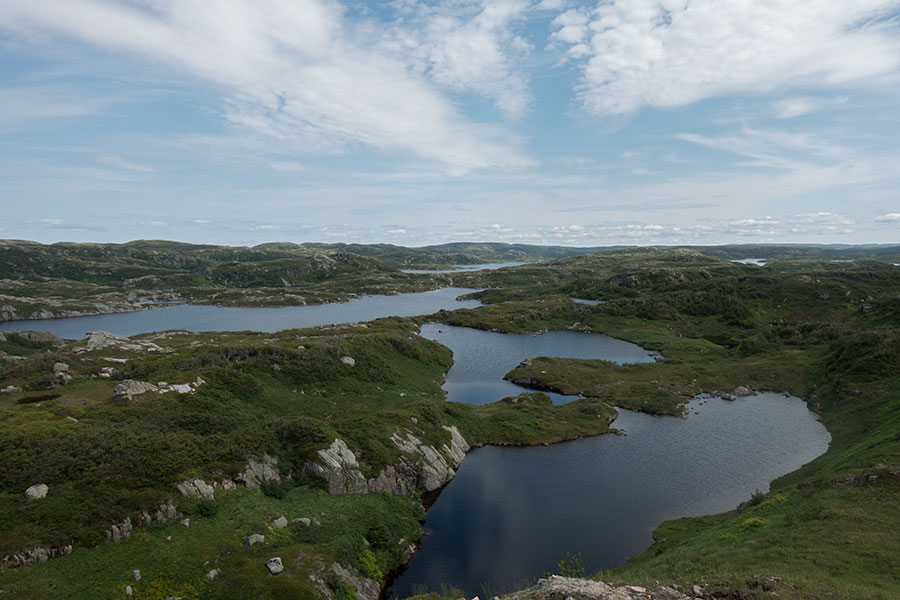
Convoluted terrain in the Long Range Traverse
In 2003, I navigated entirely on map & compass. We had a starting point, an end point and a rough idea of the best route sketched by hand on the map. My memories of the trip are that it went smoothly, we never got lost, we were aware of our route and position at all times, we always found the campsites we were looking for and only one foggy morning put some pressure on us.
In 2017, I used the smartphone. It was fine, I never got lost. My memories of the trip are about how on earth did I do that without a GPS.
There were sections that were straightforward to navigate but there were others with really complex topography with tough hiking over rough ground or vegetation and where useful references were absent for a good while. I was impressed that I did that with only map & compass and I was even more impressed that it didn’t even look difficult at the time.
Interpretation
My explanation for the observations above is that we tend to adapt to the instruments we have and, as long as we know how to use them, take it naturally from there. We adapt our level of commitment with the navigation job to the capabilities of our tools and the subsequent requirements on our own skills.
Another possible factor is the freedom to choose your own route when navigating on map & compass over trackless terrain vs the perceived rigidity of following a GPS track and an emerging trail created by the increasing number of hikers using the exact same route as they follow the same GPS track. The latter route option may be the most optimal but it may be not always obvious to the eye, even with map and compass at hand. What did people do before GPS times then? We would probably be happy with our route choices even in case they were not optimal as long as we kept oriented and managed to get to destination. If there was a route that was less obvious but somewhat better we would probably never know anyway.
Conclusion
Digital does more things for you than classic navigation. This is fine, it may boost performance and it may be a life saver. The biggest potential drawback I see for the seasoned backpacker is the danger of hiding your own skills from yourself and generate a false sense of necessity. Use digital tools for the convenience and don’t forget you can go classic anytime and you should be fine.
Disclaimers
I managed to find paper maps that would cover most of my route but at 1:100K they were not suitable for accurate navigation. I pretty much stopped using them after initial tries.
I eventually found good quality, proper scale (1:50K) maps for the last leg of my trip, right where the comparison above took place. I could have been navigating on map & compass but I fell into the easy way of going digital. I keep telling myself I did it in the name of science so I could write this article.
 RSS – Posts
Say what you want